Spark
One specialised agent for one job.
About Spark →OS47 is theagency47's client workspace for AI agents: a private web app where your team sees what your agents know and do, approves every reply and knowledge change before it is sent, checks each agent against test questions with known answers, and can stop every agent at once. It is included at no separate price with every theagency47 product: Spark, Workforce, the AI Sales Agent and the AI Company Brain. It runs in theagency47's Cloudflare account or in your own.
We reply within one business day with a calendar link.
Business data stored in the EU · The rules behind these screens →
OS47 is theagency47's client workspace for AI agents: a private web app where your team sees what your agents know and do, approves every reply and knowledge change before it is sent, checks each agent against test questions with known answers, and can stop every agent at once.
The illustrations below are based on the OS47 workspace of a guesthouse with two agents, Concierge and Ops.
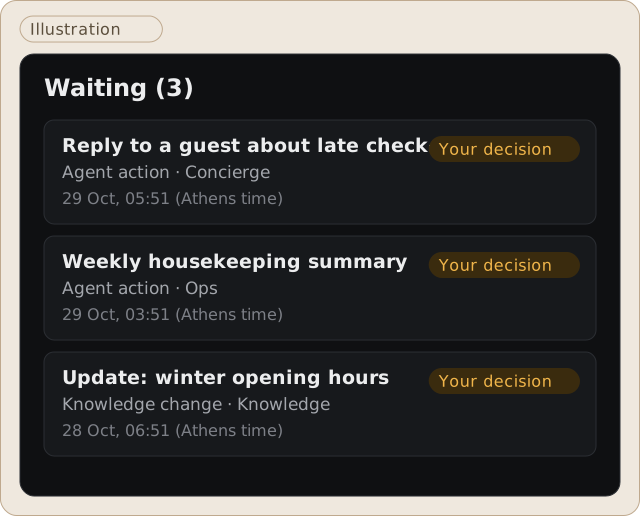
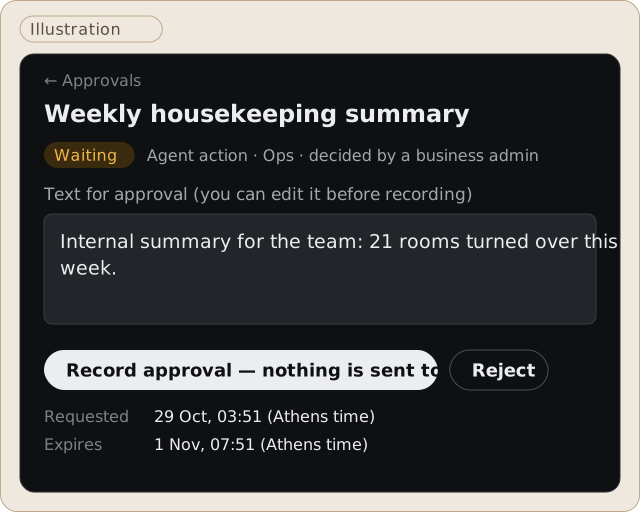
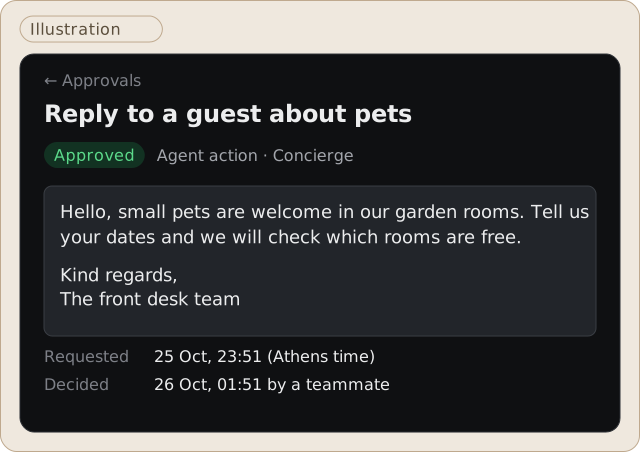
Agents propose; a person on your team approves. Every reply an agent drafts and every change to what your agents know waits here until someone decides. Nothing is sent on its own.
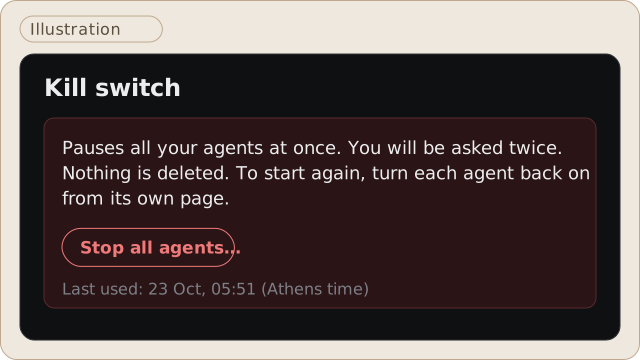
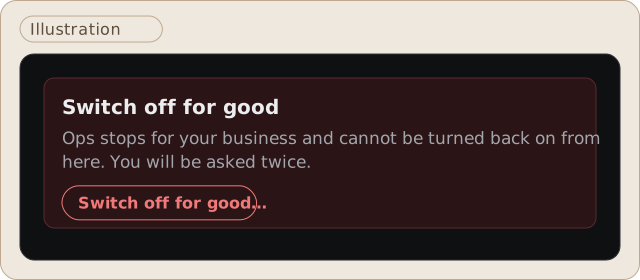
The Trust screen holds the kill switch: one button pauses every agent at once. You are asked twice before it acts, and nothing is deleted.
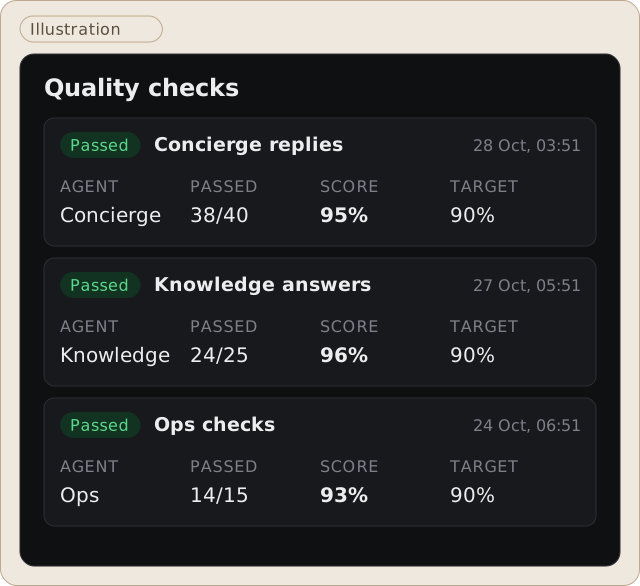
Each agent is checked against test questions with known answers, an eval suite. The Quality screen shows each check, when it ran and the agent's score against a 90% target. A change goes live only when it meets or beats the target.
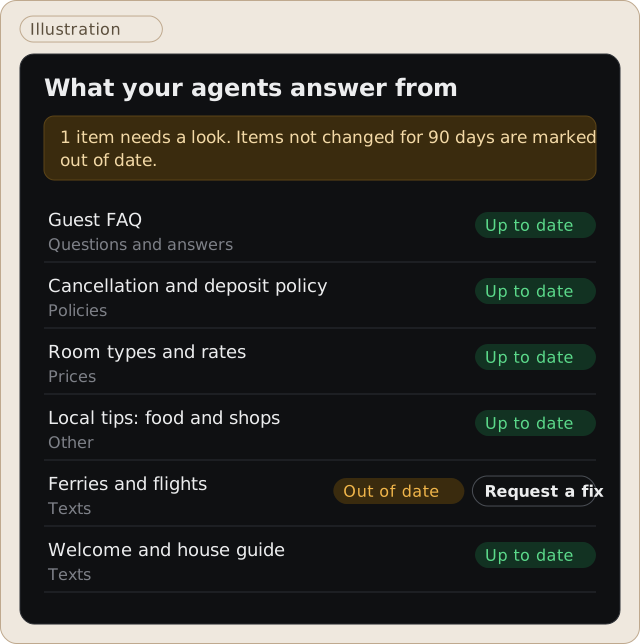
Knowledge lists what your agents answer from: your texts, prices, policies and answers to common questions. Anything not reviewed in 90 days is flagged as out of date, and you can request a fix from the same screen.
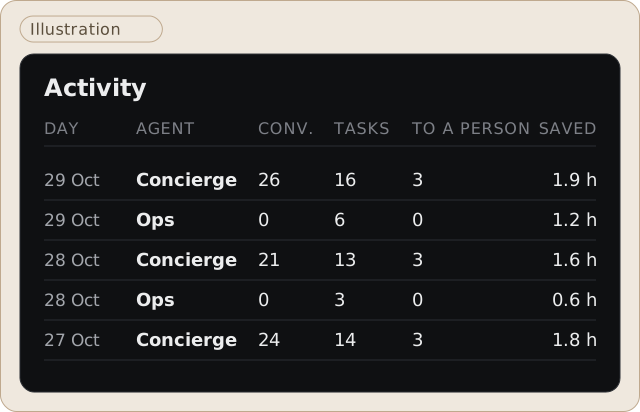
Activity shows, day by day and per agent, the conversations handled, tasks done and completed, what was handed to a person, and the time saved.
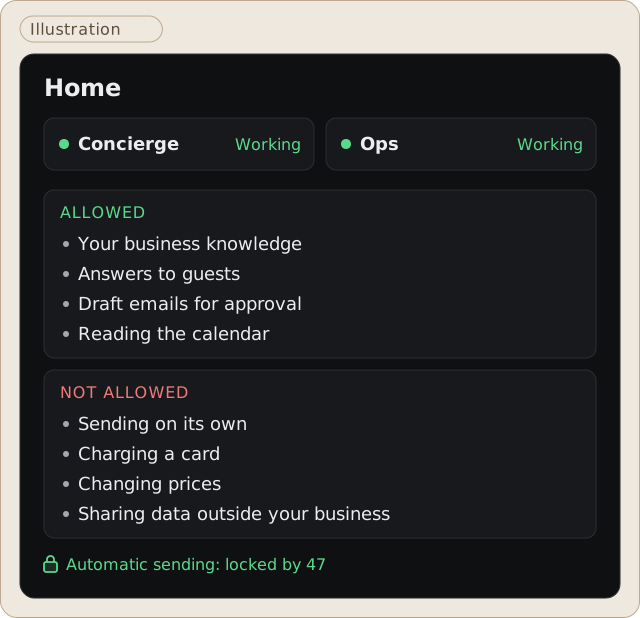
Home is the overview: each agent's status, and in plain words what your agents may and may not do.
This is human-in-the-loop in practice: the agent does the work, a person makes the call. How we secure agents beyond approvals is in our AI agent security guide.
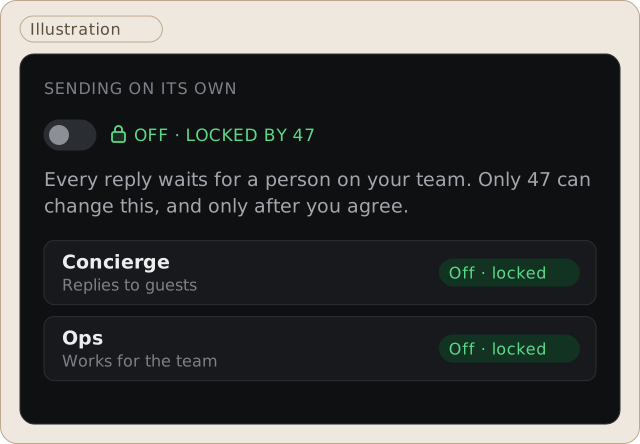
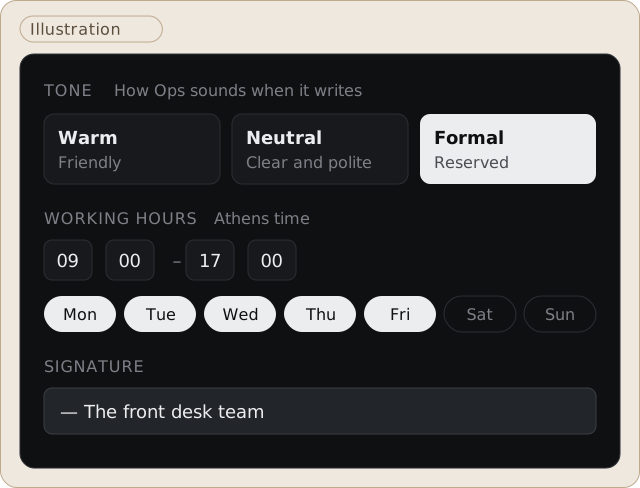
Each agent has its own settings. Your team chooses its tone (warm, neutral or formal), its working hours and the signature added to its messages. Sending on its own is off and locked: only theagency47 can change it, and only after you agree.
When you no longer need an agent, you can switch it off for good from the same page.
Every agent theagency47 builds for you shows up in OS47, at no separate price.
One specialised agent for one job.
About Spark →Three agents for your first AI workforce, or five orchestrated agents for a full department.
Workforce Starter → Workforce Pro →Finds, scores and contacts B2B prospects, with a compliance gate before anything goes out.
About the AI Sales Agent →The knowledge every agent answers from, from one agent to every department.
About the AI Company Brain →Puts these in order across your company, one department at a time.
About AI transformation →For example Orion for customer support and Lyra for email triage.
Orion → Lyra → All agents →The AI Company Brain is the knowledge your agents answer from. OS47 is where your team sees that knowledge and steers it: the Knowledge screen lists every source and flags anything out of date, and a change to the knowledge goes through Approvals just like a reply.
If your company knowledge lives in Obsidian, the Second Brain is the vault your agents read from and write back to.
You choose where OS47 runs. Both options run on Cloudflare, and both are set up for your business only. theagency47 builds and runs AI agents on Cloudflare.
| In theagency47's Cloudflare account | In your own Cloudflare account | |
|---|---|---|
| Who holds the account | theagency47, with a setup used by your business only | Your company, in your name |
| Who runs it day to day | theagency47 | theagency47, with access you grant |
| Hosting bills | Included in your theagency47 plan | Billed to you directly by Cloudflare |
| Fits | Teams that want nothing to manage | Companies whose IT or procurement want the account in their name |
Where your data lives. Your business data is stored in the EU. Model processing may run outside the EU.
The illustrations on this page are based on a small guesthouse with two agents.
See what agents do for hotels, villas and short-term rentals: AI agents for hotels and villas.
OS47 is theagency47's client workspace for AI agents: a private web app where your team sees what your agents know and do, approves every reply and knowledge change before it is sent, checks each agent against test questions with known answers, and can stop every agent at once.
No. OS47 is built by theagency47 and is not built on Cloudflare OS, Cloudflare's open-source agent workspace, which theagency47 does not offer. OS47 runs on Cloudflare, in theagency47's account or in yours. theagency47 is an independent agency, not a Cloudflare partner, and is not affiliated with or endorsed by Cloudflare.
OS47 has no separate price. It is included with every theagency47 product: Spark, Workforce, the AI Sales Agent and the AI Company Brain.
You choose: OS47 runs in theagency47's Cloudflare account, set up for your business only, or in your own Cloudflare account. Your business data is stored in the EU. Model processing may run outside the EU.
Yes. OS47 is in use today with theagency47 clients.
Not by default. Sending on its own is off and locked for every agent, so each reply waits for a person on your team. Only theagency47 can change this, and only after you agree.
OS47 tests each agent against questions with known answers and shows the score against a 90% target.
Yes. The Trust screen has a kill switch that stops every agent at once.
Weighing whether to build your agents yourself? Read DIY AI agents with Cursor & Grok Bot vs OS47.
Bring one process; we show the six screens with it in mind.
We reply within one business day with a calendar link.
Updated October 2026. The images on this page are illustrations based on the OS47 workspace.
Cloudflare and Cloudflare OS are trademarks of Cloudflare, Inc. theagency47 is an independent agency and is not affiliated with or endorsed by Cloudflare.

Talk to our AI agent
Ask about our services, prices or how a project runs, in Greek or English. It answers out loud.
Uses your microphone. Ends automatically after 3 minutes.
Test version; the AI can make mistakes. Calls are recorded and the transcript is sent to our team; audio is processed by xAI. Privacy policy